From table to
tested model.
Follow a churn model from its outcome column to a single customer’s score. All three screens come from the synthetic Fieldwork workspace.
Choose the outcome and add an input.
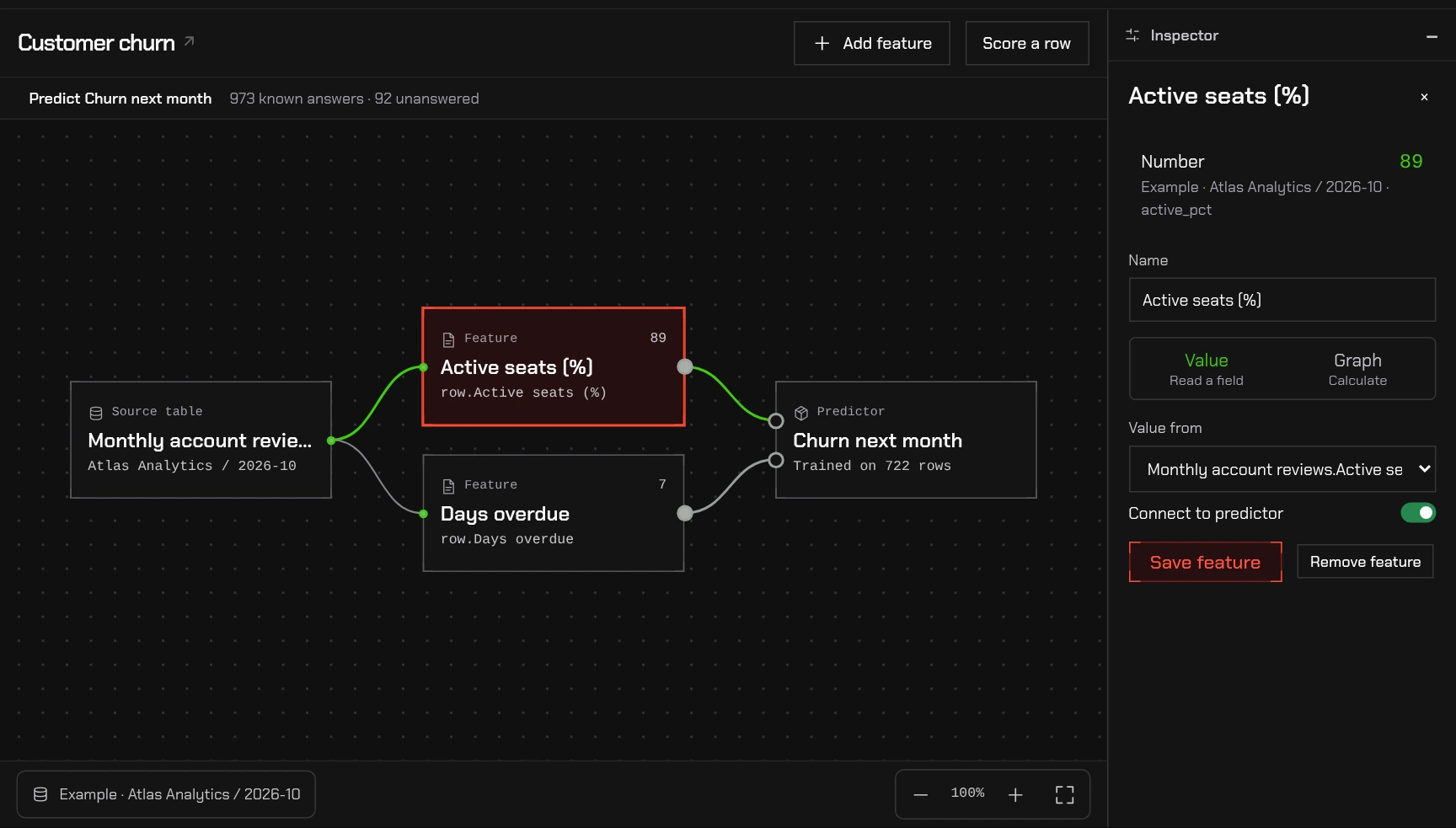
In the account reviews table, open the Churn next month column and choose Predict this column. The draft opens on an example customer. Add active seats and days overdue as inputs and inspect each value on the graph.
Check it against later rows.
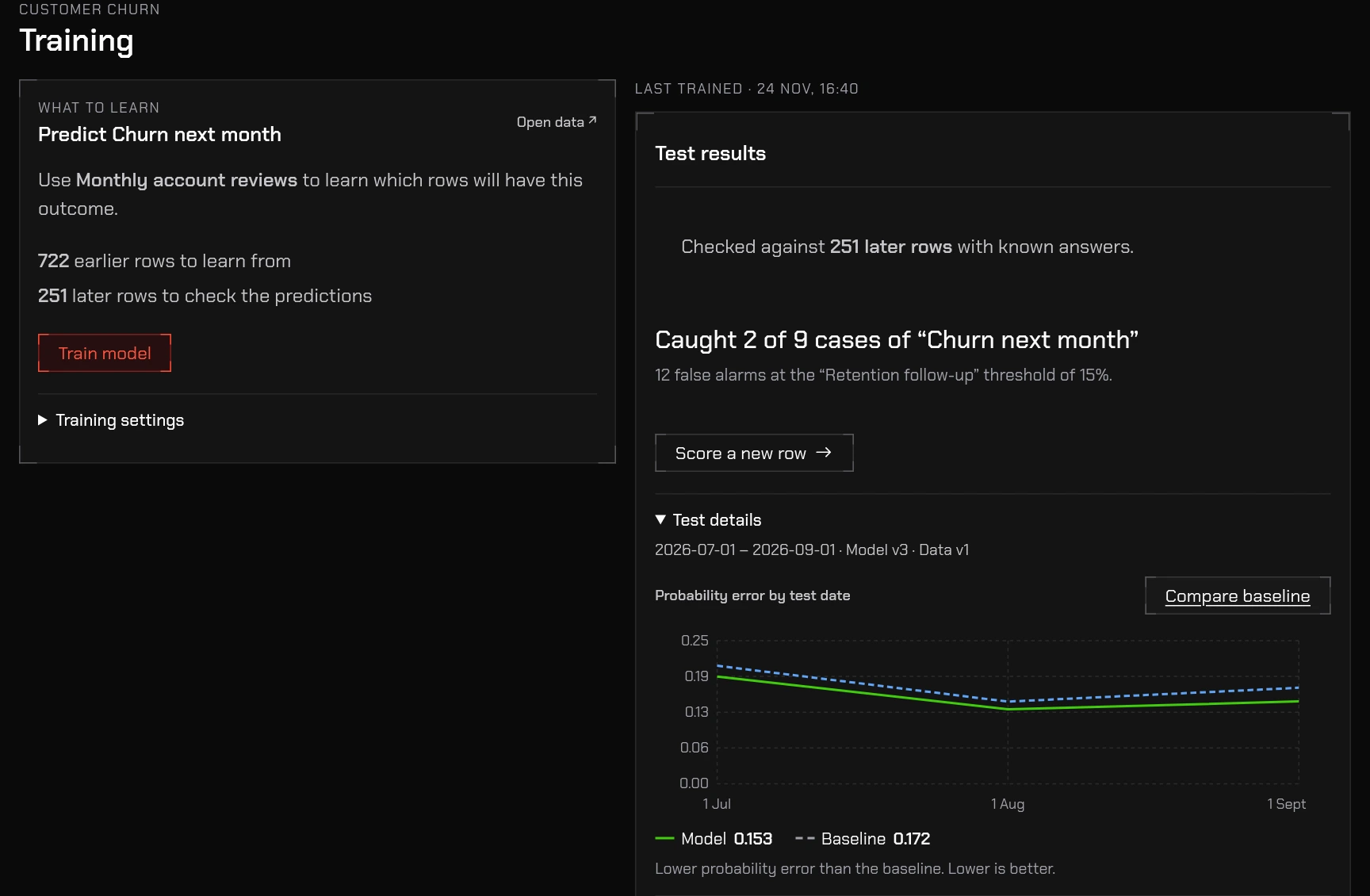
Train on earlier dated reviews, then compare predictions with the known answers from later months. Open test details to see how many churns were caught and how many other accounts were flagged.
Review the customer behind the score.
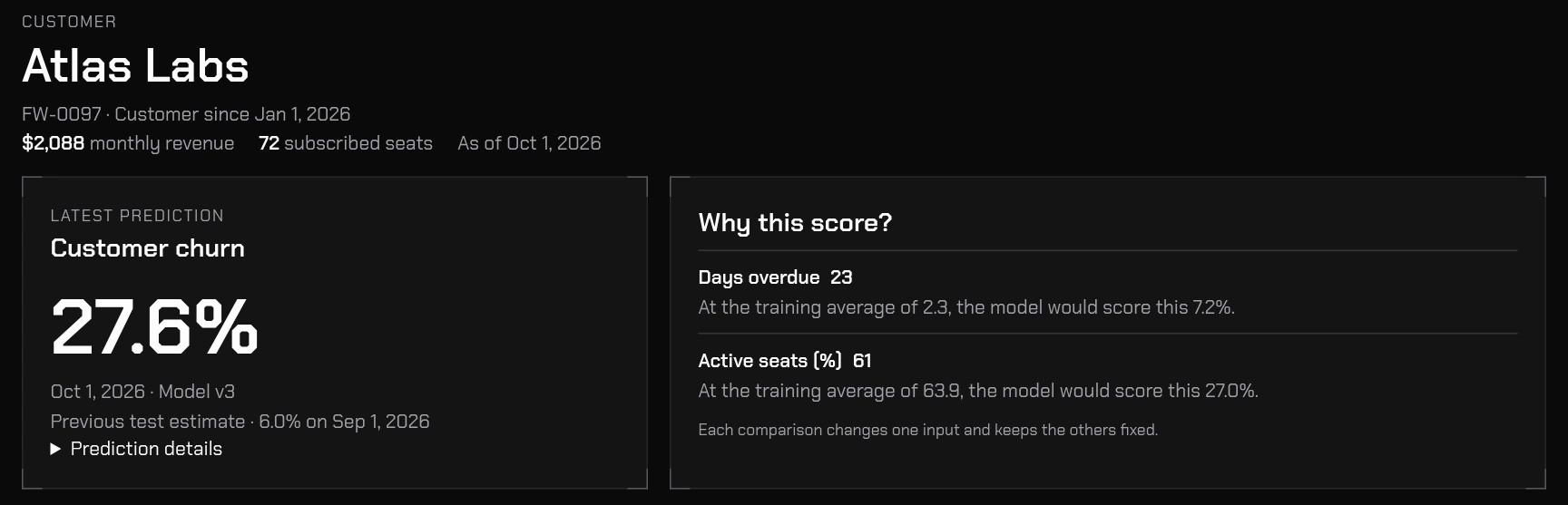
At the October review, Atlas Labs had 61% active seats and an invoice 23 days overdue. The model assigned a 27.6% chance of churn the following month. Changing only overdue days to the training average of 2.3 lowers the estimate to 7.2%. In this review the overdue invoice accounts for more of the score than seat usage.